How to Experience the Revamped Candlekeep in the Baldur's Gate 1 Remake Mod for BG3
Overview
The Baldur's Gate: Reloaded project is an ambitious fan-made campaign that rebuilds the original Baldur's Gate within the Baldur's Gate 3 engine. A recent update showcases a fully revamped Candlekeep—the iconic library-fortress that served as the starting area of the original game. This tutorial will guide you through downloading, installing, and playing this early demo, so you can explore the reimagined Candlekeep and see how the mod is evolving.
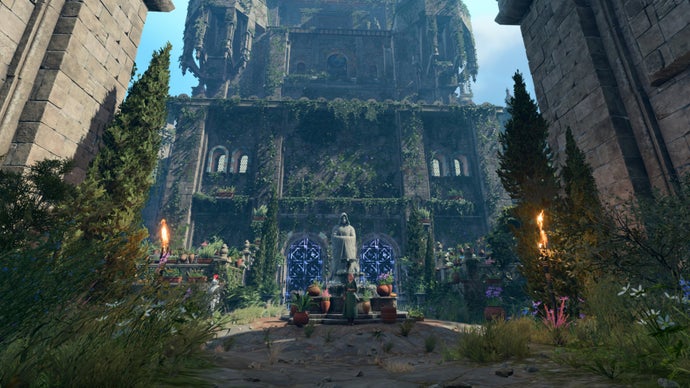
Whether you're a modding veteran or a newcomer, this guide provides step-by-step instructions, common pitfalls, and tips to get the most out of this nostalgic adventure.
Prerequisites
Required Software & Tools
- Baldur's Gate 3 (PC version, latest patch) – purchased from Steam, GOG, or Larian Studios.
- Mod Manager (recommended: Vortex or BG3 Mod Manager) for easy installation.
- Script Extender (also known as BG3SE) – required for many custom campaigns to function properly.
- At least 2 GB of free disk space for the mod files.
Optional but Helpful
- Familiarity with modding (backing up save files, understanding load order).
- A stable internet connection for downloading the mod (file size ~600 MB).
Step-by-Step Installation Guide
Step 1: Prepare Your Game
Ensure Baldur's Gate 3 is fully updated to the latest patch. Open the game launcher and let it update if needed. Disable any other mods temporarily to avoid conflicts, especially those that alter game UI or scripting.
Next, install the Script Extender: Download it from GitHub and extract the .dll and .pdb files into your Baldur's Gate 3/bin folder (e.g., C:/Program Files (x86)/Steam/steamapps/common/Baldurs Gate 3/bin).
Step 2: Download the Mod
Visit the official Baldur's Gate: Reloaded page on Nexus Mods (search for “Baldur’s Gate Reloaded Candlekeep Demo”). Download the main file (e.g., BG1_Reloaded_Candlekeep_v1.0.zip).
Step 3: Install via Mod Manager (Recommended)
- Open your chosen mod manager. For Vortex: Click “Mods” tab, then “Drop File(s)” and drag the zip file in.
- Vortex will detect the mod. Click “Install” and then “Enable”.
- Set the load order: the main campaign mod should be near the top, just below any core mods like ImprovedUI or Script Extender.
- Deploy the mod (click “Deploy Mods” button).
For BG3 Mod Manager: Open the tool, click “File” > “Import mod” and select the zip. Enable the mod, then click “Export order to game”.
Step 4: Manual Installation (Alternative)
If you prefer manual installation, unzip the mod. Copy the Mods folder and the Public folder (if present) into your Baldur's Gate 3/Data directory. Then modify the modsettings.lsx file in %LocalAppData%/Larian Studios/Baldur's Gate 3/PlayerProfiles/Public using a text editor. Add the mod's UUID (provided in the mod description) to the list of enabled mods.
Step 5: Launch the Custom Campaign
- Start the game via the mod manager (for Vortex, use “Launch Game” button; for BG3 Mod Manager, use the “Play” button).
- From the main menu, select “New Game”. You should see a new option: “Baldur's Gate: Reloaded – Candlekeep Demo”.
- Click it, choose your difficulty, and create a character. The campaign uses BG3's character creation but with some adjusted presets.
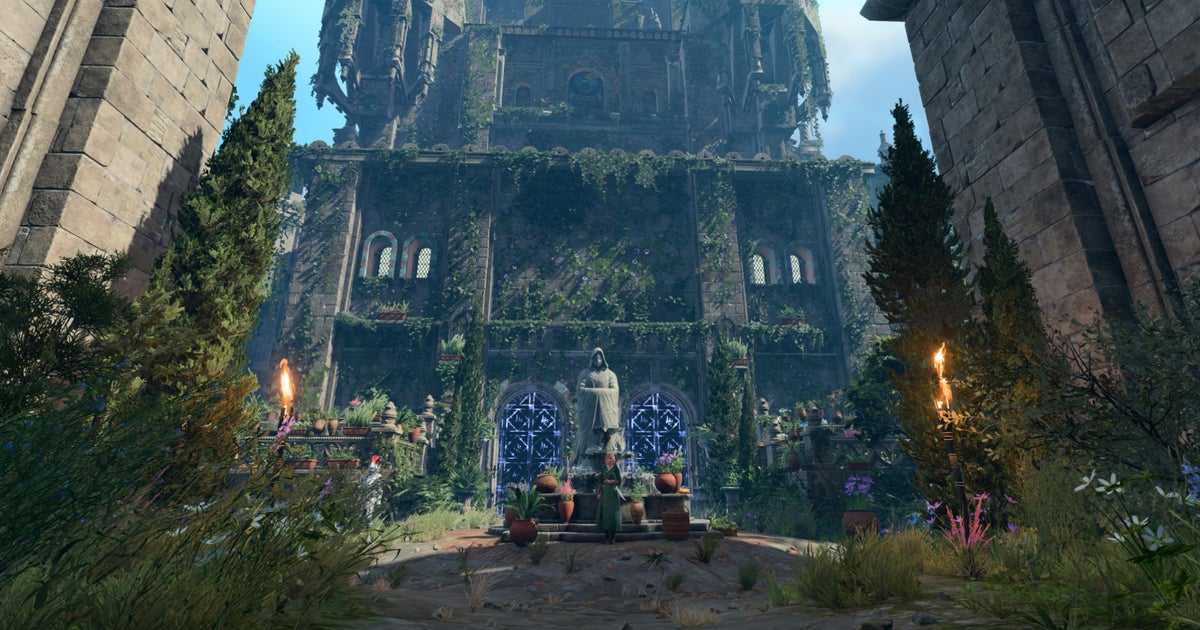
- Enter the game – you should start inside the revamped Candlekeep with updated visuals, new NPCs, and improved lighting compared to the original 2023 demo.
Step 6: What to Expect in the Demo
The demo covers the Candlekeep section: you can explore the library, interact with Gorion and other NPCs, and complete a short quest to retrieve a book. The mod team has retextured walls, added new objects, and included dynamic weather effects. Performance may vary; lower graphics settings if you experience stuttering.
Common Mistakes & Troubleshooting
Mistake 1: Missing Script Extender
If the game crashes on launch or the campaign doesn't appear, you likely forgot to install BG3SE. Double-check that the DWrite.dll (or renamed file) is in the bin folder. Also ensure you have the correct version for your game patch.
Mistake 2: Load Order Conflicts
Other mods that modify SharedDev or Gustav resources may interfere. Disable all other mods first, then enable only the Reloaded mod and Script Extender. If it works, gradually re-enable others.
Mistake 3: Old Save Files
This mod creates a separate campaign. Do not try to load a regular BG3 save into it. Always start a new game from the custom campaign entry.
Mistake 4: Incorrect File Placement (Manual Install)
If you installed manually, verify that the Mods folder contains a .pak file (e.g., BG1_Reloaded.pak) and that the Public folder has the correct subdirectories. Many users forget to overwrite existing files—ensure the mod's structure matches the Data folder exactly.
Mistake 5: Anti-Virus Blocking Scripts
Windows Defender or other antivirus may quarantine the Script Extender. Add an exception for the Baldur's Gate 3 folder and the bin subdirectory.
Summary
The Baldur's Gate: Reloaded Candlekeep demo offers a fascinating glimpse into a full-scale fan remake of the original game. By following this guide—ensuring you have BG3, the Script Extender, and using a mod manager—you can step inside a beautifully rebuilt Candlekeep and see how the mod has evolved. The project continues to improve, and this tutorial has given you the tools to experience its early progress without frustration. Happy adventuring!